ExploringUser Experience with Compressspix – Here’s How!
Drop image here or click to upload
Step By Step Procedure to use
Here’s a simple step-by-step process to utilize the Image Compressor tool:
- Upload Image
- Drag and drop it or click on “Select Image”
- Check original size and dimensions
2. Adjust Settings
- Width & Height (in pixels)
- Quality: 0-100%
- The higher the setting the better the quality but larger the size
- The lower the setting the more loss of quality but the smaller the file
- For good results on average, use 75%
- Select Format
- For photos, select JPG
- For graphics or text, select PNG
- For tethering purposes select WebP
3. Compress
- Once everything is set, click on the compress button
- Once the process ends, the compressed version will be available for viewing
- You can see the new file dimension and new size here too
4. Download
- To get the file saved on your device, click on Download option
- An important aspect to know is that the file will have a compressed_ prefix added at the start.
5. Reset (Optional)
- If you would like to start from the start
press reset and you will be taken back to the start - All settings will be restored to its default values
Tips:
Make good use of JPG and set it around 70-80% for better results and quality on photos.
- Use the PNG format on graphics and set it around 80-100%.
- Always maintain the original files as backups
- File size is important to keep in mind before downloading
That's it! 5 quick steps for a simple compression! Simple right? 🎯.
These days, personalized images as a part of communication or telling a story have drastically changed. However, They may significantly slow down a website and make it hard to share my images. This guide will cater how to reduce my image file formats to about twenty mega bytes or so across multiple image compressors. Regardless, if you are a school going person, professional or any photo sharing person online, this guide will take you through optimizing your images in an effective way.
Key Takeaways Claim
- Images compression is a software that allows reduction in an image's size while ensuring that the quality remains intact.
- It is crucial to choose the right one; consider functionality, degree of ease, and speed in addition to the level of quality loss.
- It is possible at minimum of 20 KB and maximum of free software through online tools.
- It source is entirely due to the fact that compression ruins an image by changing its size and format.
- And with such images, that time is dull, websites will start to rank higher on the Internet.
Understanding Image Compression Better
What is Image Compression in terms of Human Interest?
Image compression is also the process by which one is able to make his or her image files or images smaller files.
Shifting through the layers optimally. A compression mode operates by scrubbing out bits that are either insignificant or redundant. JPEG is one such mode whose potential is widely used for loss compression.
Pre-compression is a kind of optimization: the number of bytes is reduced by discarding some necessary and redundant image information. Although the image quality is reduced, it is still an effective method of data compression
PNG: PNG is another online image format of the system. It is a non-indexed compression format. PNG files retain all relevant information without losing details. It can be said to be a call for images.
Advantages
Some advantages that can meet the acceleration requirements mainly include:
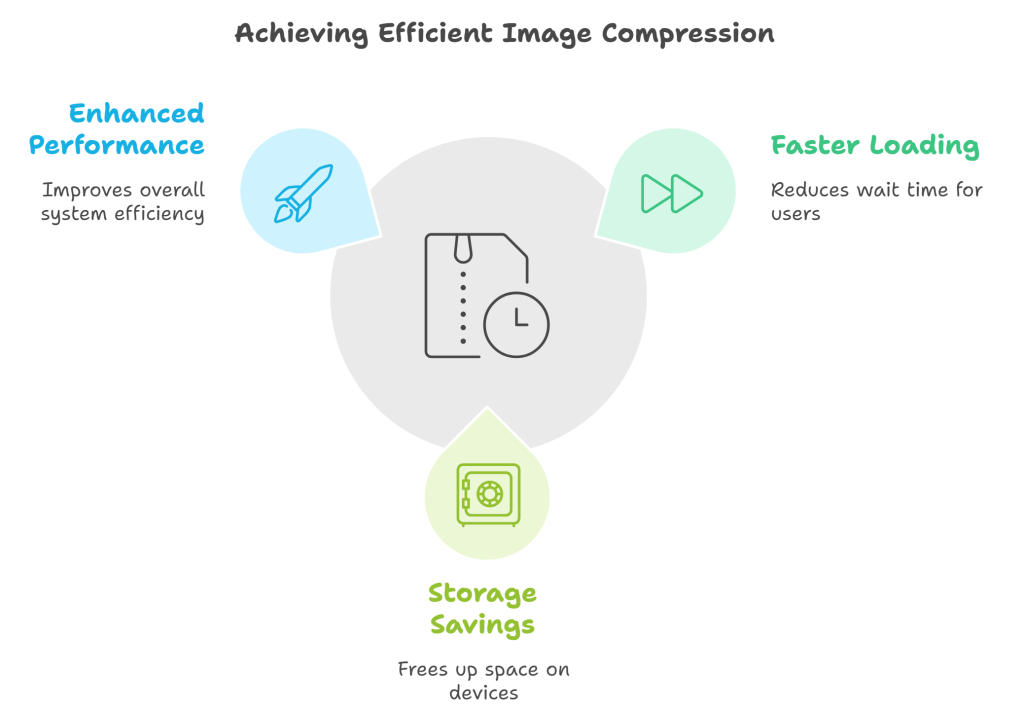
Improve user experience: The small size and size of the image can reduce the demand for bandwidth
Green and environmentally friendly: that is, get wonderful images with less file size
More efficient: When optimizing SEO, the website only needs to consider the speed.
The most commonly used file format of the site
Many websites today have reduced the use of Microsoft Image Editor, such as: subtitles, signatures, etc., and also include JPEG format files:
| JPG | Compressed file that supports layer-locked RGB graphics. |
|---|---|
| PNG | The prototype does not affect the generation of content and is suitable for gradually displaying color images. |
| GIF | It can be said that the projection drawing PS creativity, pure animation is a system of available coins based on the number of colors. |
| WebP | A modern format that can compress images in both lossy and lossless modes. |
Image File Compressing Tool.
The Factors to be Considered.
In order to find the best image compressing tool, here are some critical features you need to keep in mind:
- Simple to use: Easier to work for all because of its uncomplicated layout.
- Does not deteriorate the resolution of the picture: Tools that compress don’t reduce the resolution have to be searched.
- Limit Size Restriction: It is very helpful to determine a file limit of your choosing such as ‘20 KB’.
A Brief Overview of Top Image Compressors.
Comparing some popular image compressors from the above image, here is a quick recap of some key elements or the features that were compared in the image.
| Tool Name | Image Compression Speed | Degree of Compressed image & Quality Retention | How much is it gonna cost? |
|---|---|---|---|
| NitroPack | Moderate Speed | High Quality | Doesn’t Cost A Single Cent |
| SmallJPG | Insanely Fast | Okish Quality | Free |
| Fotor | Average Speed | High Quality | For Free |
Why Use A 20KB Image Compressor?
There are a multitude of reasons why a 20KB image compressor would suit your business like:
- Using Smaller Images: Websites load faster with less image bulk.
- Better User Experience: Users like sites which load quickly.
- Search Engine Optimization Advantage: Google prefers web pages with images that are optimized.
An image compressor will help you find a good balance between the size of the file and the quality of the image on the website and the website as a whole will be better, faster and convenient to the users.
How to Reduce an Image Size to 20KB in a few Steps

Resizing your Images for Compression
If you're wondering how to compress your images to 20KB, consider the following steps:
- Drag and drop the desired picture you wish to resize compress into the device or click to upload.
- Save your picture in any of the supported formats as jpeg or PNG.
- Ensure the original size file permits the compression to 20KB.
Use of Online Platforms for Resizing Images
To compress any of your images, there are so many tools available online. Here is how to work with them:
- Search for an image compressing platform online.
- After locating the platform, upload the picture you wish to have edited.
- Select your preferred size amongst the options provided, for instance 20KB. A drop down menu allowing you to “customize” the selection will appear. Move the sliding dot to compress jpeg to 20, 30, 50 and so on.
- When the task is done, get the small sized image that you asked for.
Manual and Automatic Compression of Images
In the compression process of an image, one has a choice of performing it manually or automatically:
- Manual Compression: As the name “manual” implies, in this method you upload images onto the software like Photoshop and change the quality and size of the image.
- Automated Compression: Few online tools allow bulk uploading of files and they assist in reducing the size of the file all by themselves so little effort is needed from your side.
Image Size Compression without Losing Quality
Quality and Size Optimization
Compressing images is an art and as such one should not only focus on one aspect or quality, in this case, size, but try to satisfy quite a few at the same time. Consider the following points:
- Employ lossless or lossy compression methods as the situation demands.
- Experiment and change degrees of compression and investigate its effect on the resultant image.
- The most efficient way is to explore competition between different formats such as PNG and JPG and select the best.
Image Quality Preservation Techniques
Compressing images is one way of making the image look good, however there are certain techniques that can enhance how your image turns out:
- Always opt for the right tool that gives you enough capacity to preserve the quality of the images.
- Employ the batch procedure so all the images retain the same standard.
- Constantly assess the output and check if it’s as per the set standards.
Some of the Biggest Blunders
You may want to avoid these common mistakes so that your images retain the placed quality:
- Too much compression of images resulting in pixelization.
- Disregarding the original resolution of the image.
- Failing to check the final results after output on various devices.
How to Use Compressed Images on the Web?
Why Fast Loading Times Are Important for Websites
Fast loading speeds are important for any site but, sites that are image heavy tend to benefit from fast speeds more than others. Having fast loading images makes a better experience for the users and makes them want to stay on the site. If however, You end up using oversized images, you may end up hampering the speed of the site which would in turn make the site have a higher bounce rate.
Users think that a page should open in less than 2 seconds.If images take a long time to load, visitors may not hang around.Images that are optimized can enhance the performance of the site as a whole.
How Compression of Images Affects SEO
Search engines are known to give preference to sites that load quickly. By employing compressed images in your website, you can enhance your seo efforts. This is how:
- Improved load times enhance user experience and retention.
- Page load speed is another factor that Goggle uses in its ranking.
- Width of the image directly affects the bandwidth and hosting fee.
SEO Strategy for Image Optimization
To make sure that your images are suitable for the online market, such practices must be observed:
- Use standard shaped file images, such as JPEG for images, PNG for pictures.
- Size images in KBs, at least 20KB, to provide the best quality with speed.
- Lazy image loading can be used to defer how images load until they are necessary.
Data Safety While Using Compressing Images
As you use an image compressor, the protection of your data is of tremendous importance. Here are some measures to take in order to secure your images:
- Employ the use of tools that have an upload with an encryption strength of up to 256 bits.
- Confirm if the service you intend to use has a history of deleting images after some set timeline.
- Find services that do not keep your images on their storage:
Privacy Policy and Its Purpose
Check the privacy setting in the image compression application after downloading it. It will answer the questions:
- What are the practices for the management of data.
- Are there any policies which allow the third parties to have access to your images.
- What tools they have to protect your privacy.
Secure Compression Tools: Steps for Selecting and Using Secure & Reliable Compression Tools
In order to find a good quality image compressor, make sure of the following:
- Fame: Choose a tool that has so many good witnesses.
- Openness: Only select services that can explain to you how they manage data.
- User interface: Select the tools that have a user friendly interface for managing images and other image files.
Avoid at all times any risk of compromising your privacy by using online image compression tools.
The future of data privacy in image processing has come to fruition. By complying with the data privacy acts and using the trusted tools you can safeguard your images in an effective manner.
Last Words for Consideration. Picture Compression
All in all, there are great programs that allow you to compress your image files to 20KB, and this task should not take a long time. Additionally, using an image compressor tool is a quick way of downsizing your images. This comes in handy when posting on websites, emails or any medium that has a size constraint. After going through this guide, you will have learned about the practical procedures that allow you to use lower image sizes to improve site browsing for your users. Therefore, do not think twice about using an image compressor tool in the future and enjoy its benefits!
Question & Answer
What do you mean by image compression?
The image compression refers to the making of image files smaller in size. This is beneficial because it optimizes space on your device storage, plus it helps images load faster when you access websites.
What are the advantages of compressing images to 20KB?
It's notable that many websites tend to use images that have been reduced to 20KB in web usage since it enhances the load speed of the pages, thus improving a user’s experience.
Are there any image formats that cannot be compressed?
The large majority of image compressors contain the capability to compress prevalent types such as JPEG image format, PNG and GIFs.
If I compress my images, will they remain sharp?
In some instances, but better compression tools are able to provide a shrinked file size whilst maintaining a relatively high image standard.
Are online image compressing tools safe to use?
There are no Image compression tools that can be trusted. Instead, trusted services should be used, as these can be constantly utilizing your images, however, deleting them after.
What is the process of changing the size of an image to twenty kilobytes?
All that is required is that you upload your image to a compressor online, specify the target image size as 20KB and then download the resulting compressed image.
Ultimate File Size Reduction
End To End Image Compression – Facility is very simple to use and with its ease of access, images can be compressed smoothly and appear polished, all thanks to this compression facility.
Format Selection
Picking the right file format

Use Compression Tools
Applying tools for compression

Adjust
Dimensions
Resizing images for efficiency

Batch Processing
Compressing multiple images at once
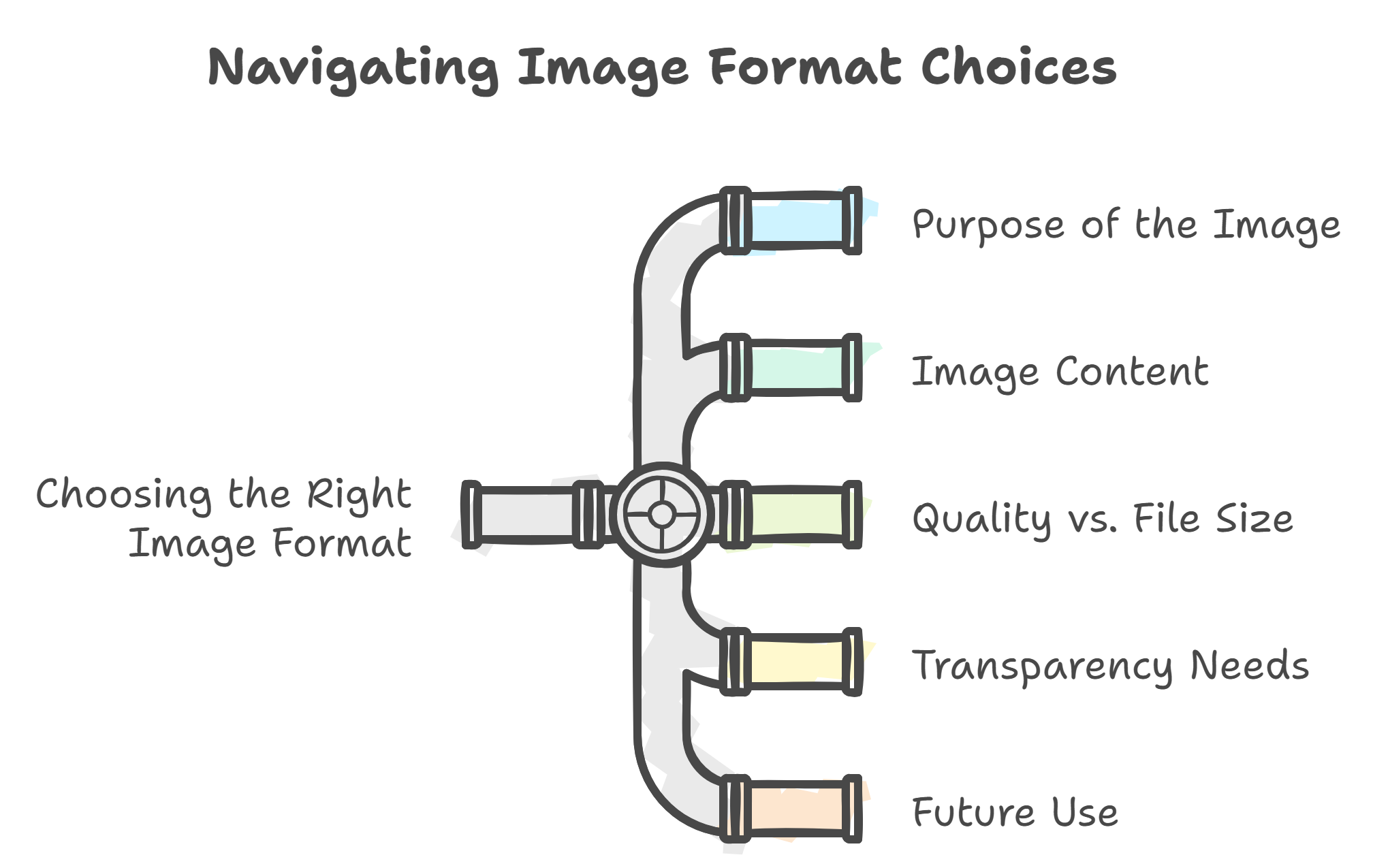
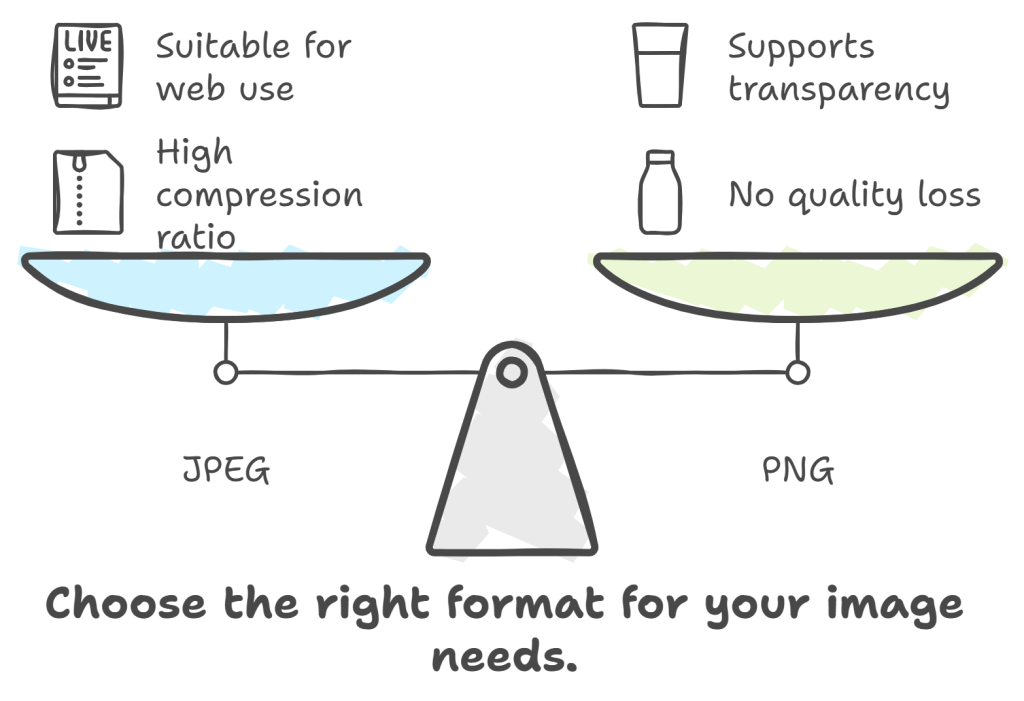
Picking the Right File Format
It is possible to save both space and quality by selecting the most appropriate image format for your needs. However there is a bit of a learning curve where you have to learn the essentials of each format, but once you do, there will be no fear of bad digital images.
JPEG (Joint Photographic Experts Group)
PNG (Portable Network Graphics)
GIF (Graphics Interchange Format)
TIFF (Tagged Image File Format)
Our Mission
Here at compresspix.com the aim is to ensure every image that is uploaded, gets uploaded in the smallest file size whilst not dismantling the quality or the performance of the image, whether it is for a custom website or a social media website
How to increase traffic on Twitter: advice from Boost Like Store
WordPress plugin with over a million installs may have a worrying security flaw – here’s what we know

Creative workers love AI – but it is causing more issues than expected
Ultimate File Size Reduction
End To End Image Compression – Facility is very simple to use and with its ease of access, images can be compressed smoothly and appear polished, all thanks to this compression facility.
Format Selection
Picking the right file format
Use Compression Tools
Applying tools for compression
Adjust
Dimensions
Resizing images for efficiency
Batch Processing
Compressing multiple images at once
Picking the Right File Format
It is possible to save both space and quality by selecting the most appropriate image format for your needs. However there is a bit of a learning curve where you have to learn the essentials of each format, but once you do, there will be no fear of bad digital images.
JPEG (Joint Photographic Experts Group)
PNG (Portable Network Graphics)
GIF (Graphics Interchange Format)
TIFF (Tagged Image File Format)
Our Mission
Here at compresspix.com the aim is to ensure every image that is uploaded, gets uploaded in the smallest file size whilst not dismantling the quality or the performance of the image, whether it is for a custom website or a social media website
How to increase traffic on Twitter: advice from Boost Like Store
WordPress plugin with over a million installs may have a worrying security flaw – here’s what we know
Creative workers love AI – but it is causing more issues than expected
 English